1. Enter your details
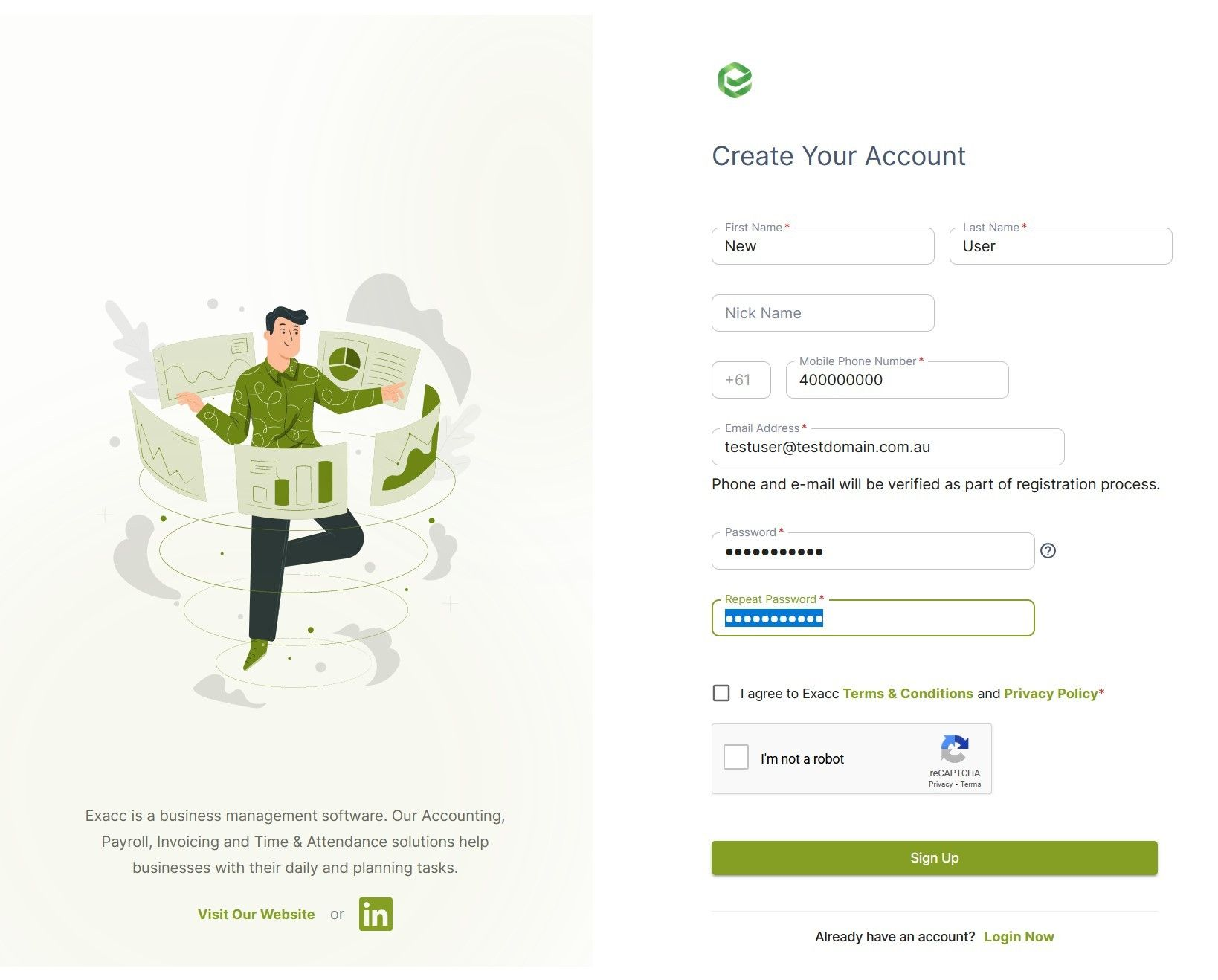
Go to Exacc Login and enter your details
2. Verify email
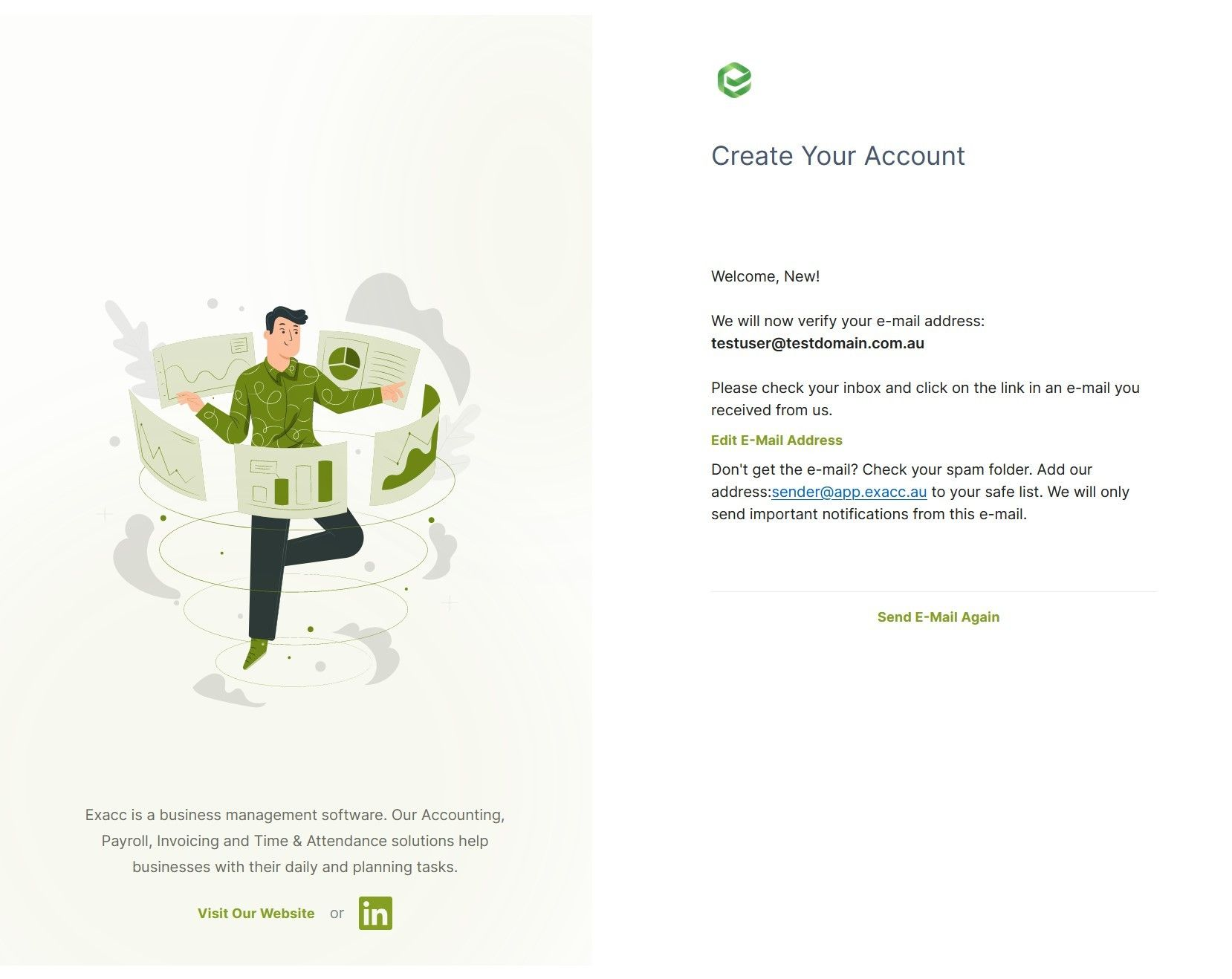
Verify your email address: open your email inbox and click the verification link on the email from us. If you can't see it, check your spam.
3. Verify phone number
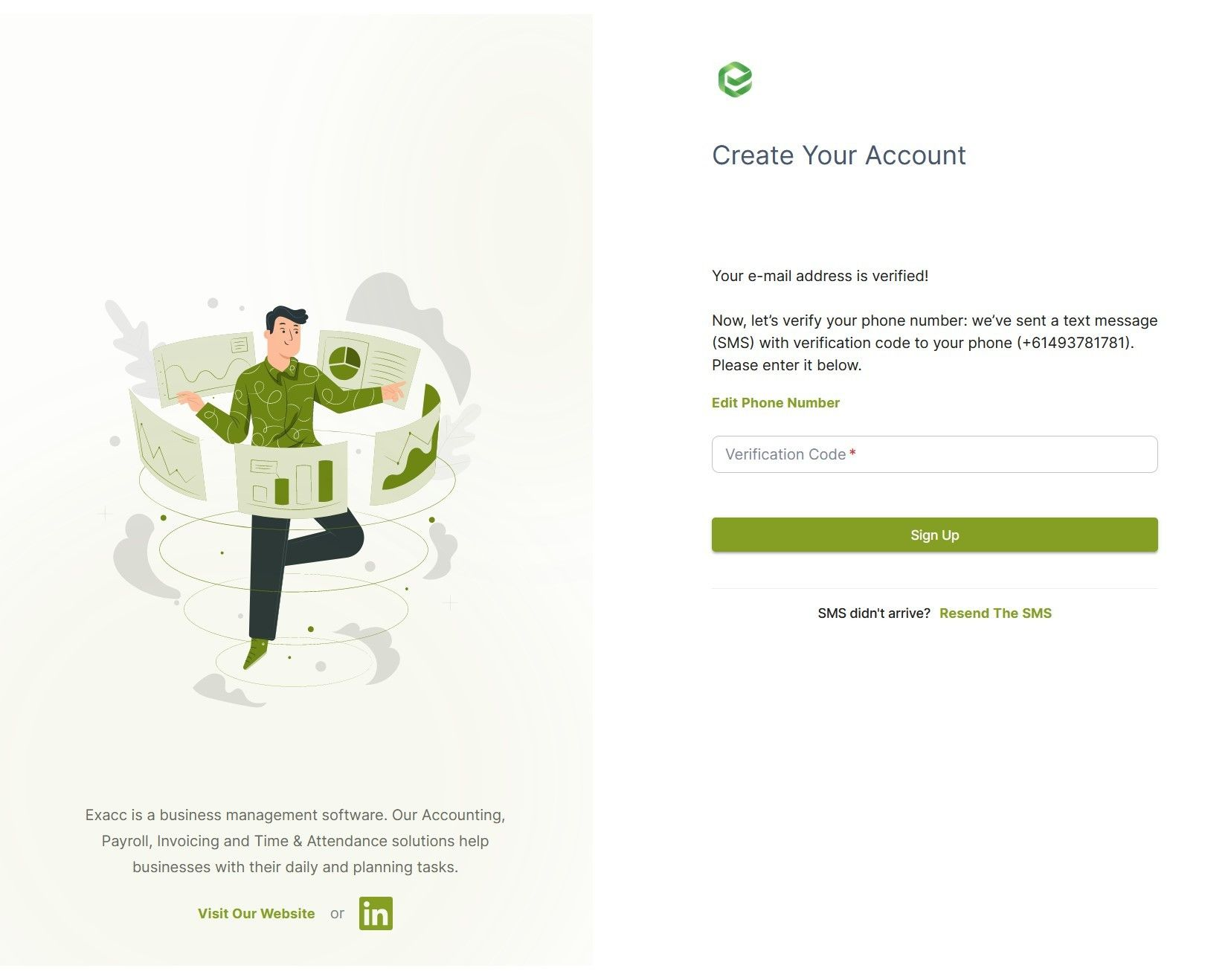
Verify your phone number: we sent a message to your phone, enter the code from the message to the box.
4. Set up 2-factor authentication
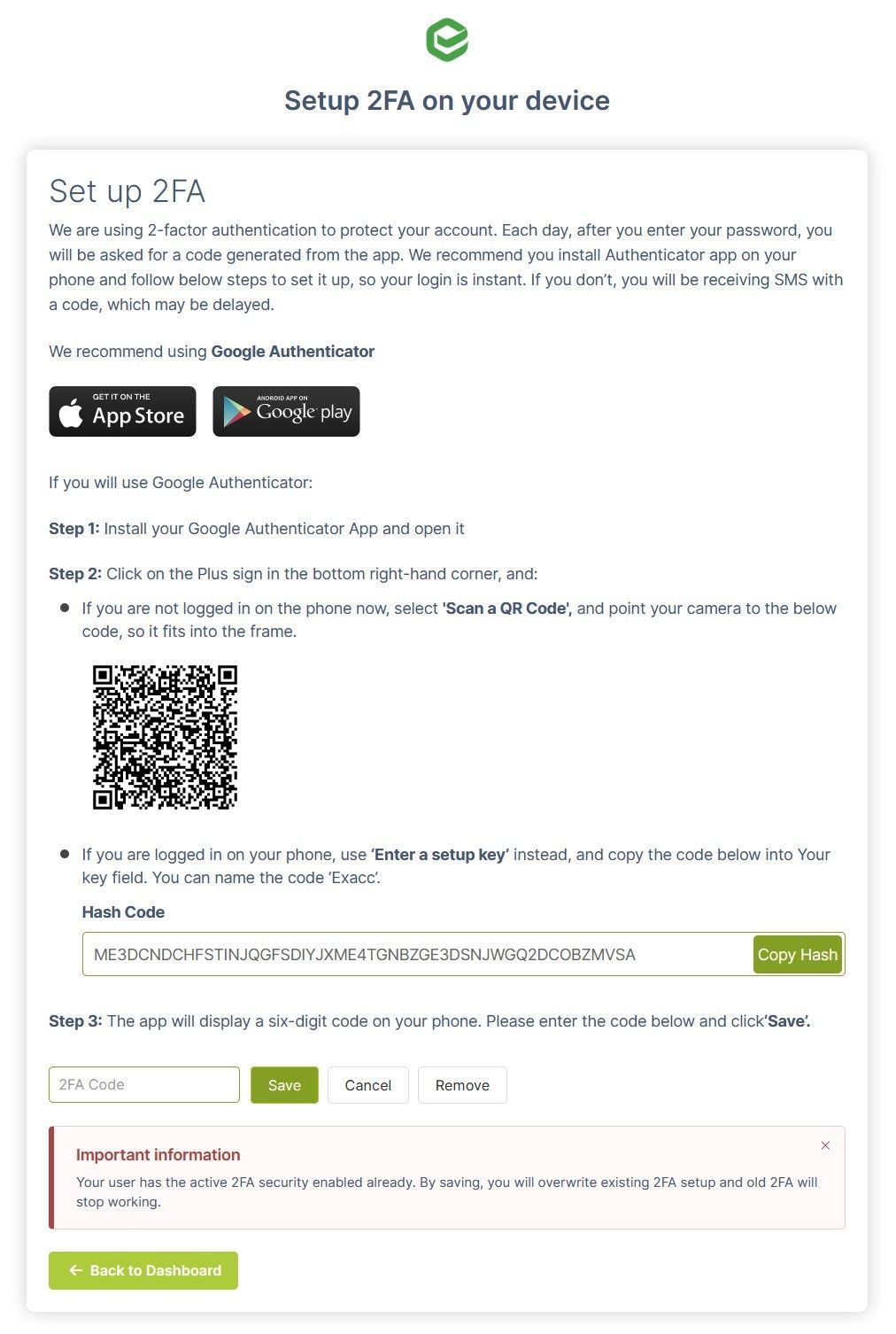
Set up 2-factor authentication on your phone: follow instructions on the page.
You are now all set! If you are awaiting invitation, you should see it on the screen.
5. Create your Subscriber Account
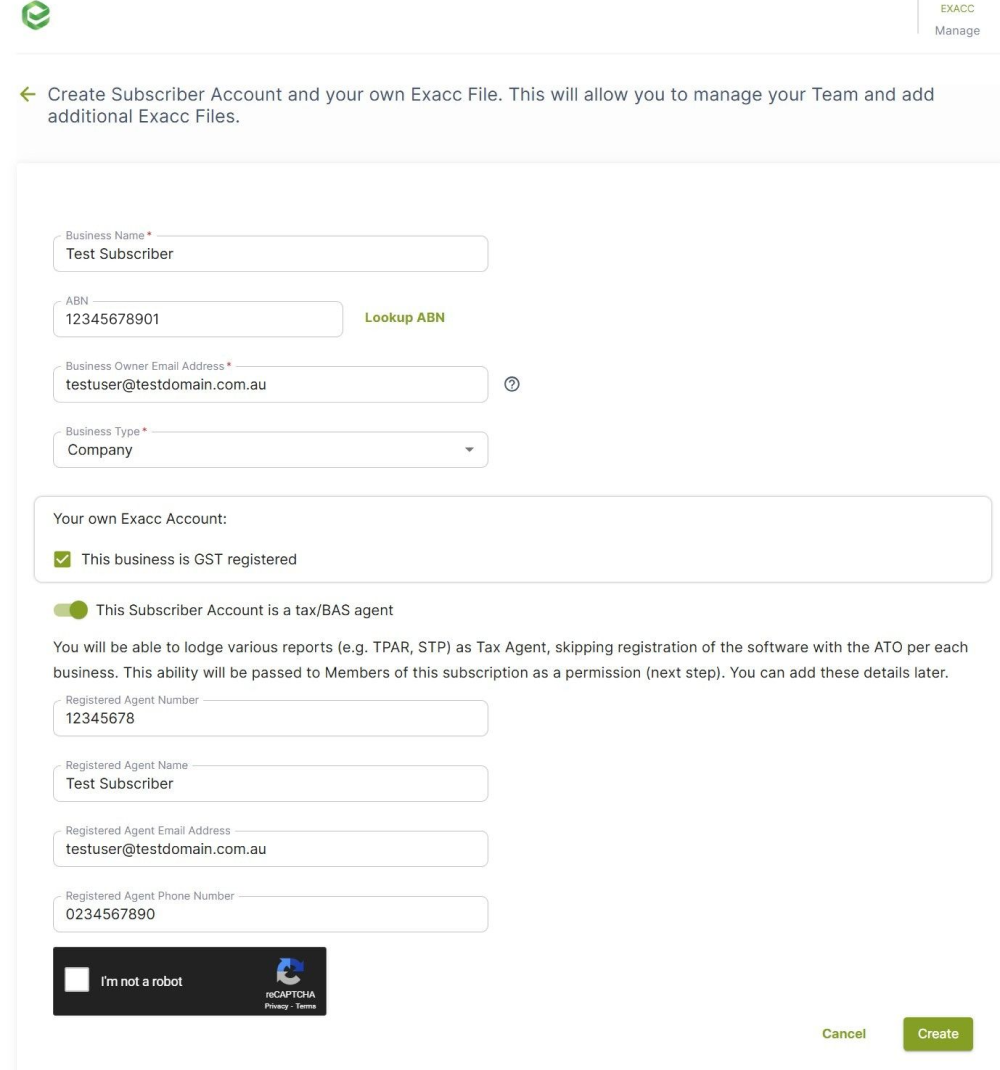
If you want to start your own exacc experience, set up your Subscriber Account. We only require basic information. Click on 'Start My Own Exacc Experience' and enter details of your business. If your business is a Tax / BAS Agent, select this method and enter your details. This will allow you and nominated users to lodge documents to ATO as Agent.
6. Configure your Subscriber Account
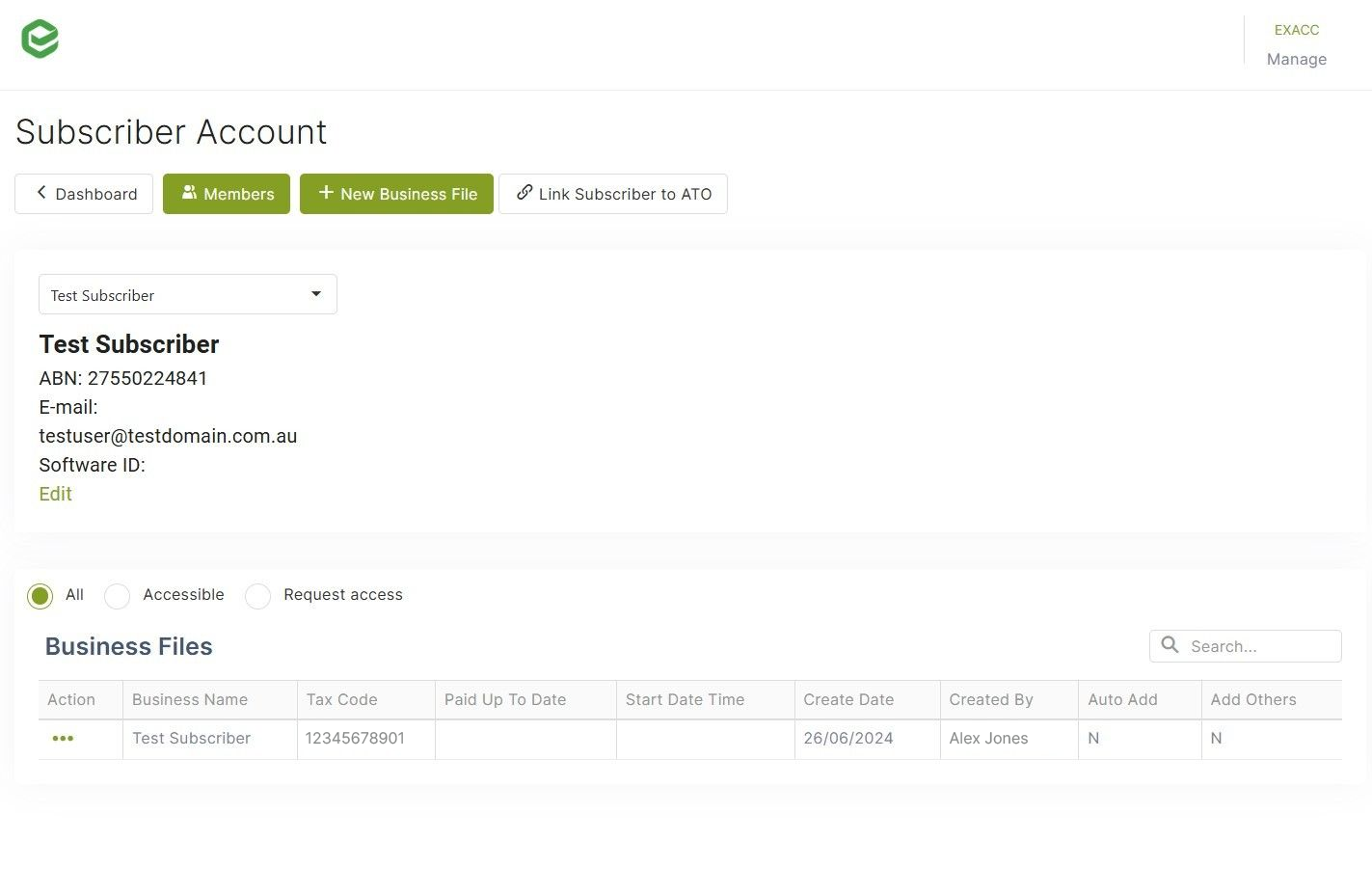
After you create your Subscriber Account, you will see its dashboard. This form will help you to:
- Add Users (Members) to the Subscriber Account
- Link Subscriber Account to ATO
- Create new Business Files