General Settings control how books, invoicing, timesheets and payroll behave in a business file. Open Manage › Configuration › General Settings, pick a tab, change a value and click the Save that appears beside it. Each setting saves on its own. Only administrators of the file can change them.
Before you start
- You must be an administrator of the business file. For other users the page stays empty.
1. Open General Settings
Open Manage (the tile with your business code at the top right) and under Configuration click General Settings.
2. Change a setting and Save
Each setting shows its name, what it does and its current value. Change the value and click Save beside it (or Cancel). Exacc saves that one setting and refreshes the list.
If the value goes back or does not stick, the change was refused: check the rules below, for example the lock date.
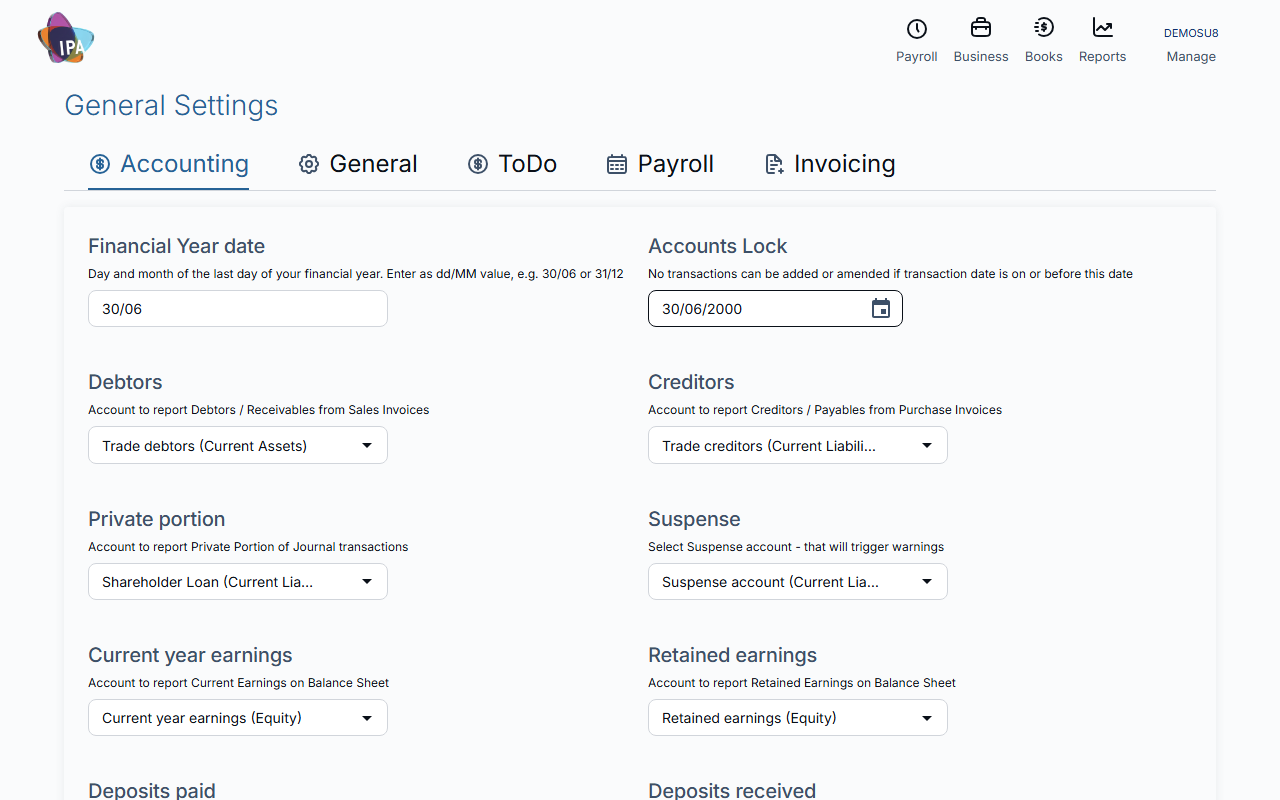
Accounting
- Financial Year date: the last day of your financial year as dd/MM, e.g. 30/06.
- Accounts Lock: nothing dated on or before this date can be added or changed. It cannot be blank, and cannot be moved past a date that still has draft invoices or bills.
- Debtors, Creditors, Private portion, Suspense, Current year earnings, Retained earnings, Deposits paid, Deposits received, Bad Debts: the accounts Exacc posts or reports these to. Suspense also triggers warnings.
General
- GST Registration details: is the business registered for GST (the same setting as in Business Details).
- GST Accounting method: cash or accruals.
- GST Cycle: monthly, quarterly or annually. PAYG Withholding Cycle: monthly or quarterly.
- Add BCC to emails sent / Add CC to all emails sent: an address that gets a copy of every email the file sends.
- Time Unit in minutes: the smallest timesheet unit, e.g. 6 or 15 minutes. Timesheet warning: warn when one entry is longer than this many minutes.
Invoicing
- Income account, Tax code and Default Payment Terms: pre-filled on new invoices (customers with their own terms keep theirs).
- Next Invoice Number: the number the next invoice gets; numbering continues from there.
- Group 1 to Group 4 - max days: the overdue ranges on your receivables summary.
Payroll
- Public holidays: the public-holiday calendar for this file.
- Payroll ABA reference: the reference employees and you see on bank statements for pay runs.
- Payroll reporting settings: report pay events by period end date or payment date.
- Working Holiday Maker registration: whether you are registered to employ working holiday makers at 15% tax.
- Time entries verification for payroll: the minimum timesheet status that can go into a pay run.
- Unpaid leave treatment: the pay item to show unpaid leave on payslips.
- Showing leave balances at the bottom of payslips.
- Notify Payroll move to Exacc: tell the ATO, with your next STP report, that payroll moved to Exacc. Needed once, if you move mid-year.
ToDo
- Default project type for automatic and quick projects, and Default Project activity.
Related guides
Checked against Exacc on 29 September 2026. Machine-readable version