Open Payroll › Manage Payroll and the Configuration menu: Pay Details (pay items), Pay Groups, Pay Cycles, Pay Leave Types, Occupations, Superfunds and Leave Balance Adjustments. Every pay item needs an STP 2 Reporting Group, or it is not reported to the ATO.
1. Pay cycles
Configuration › Pay Cycles: New Pay Cycle with a Name and Period (weekly, fortnightly, monthly…). Set one as the default from the list.
2. Pay items (Pay Details)
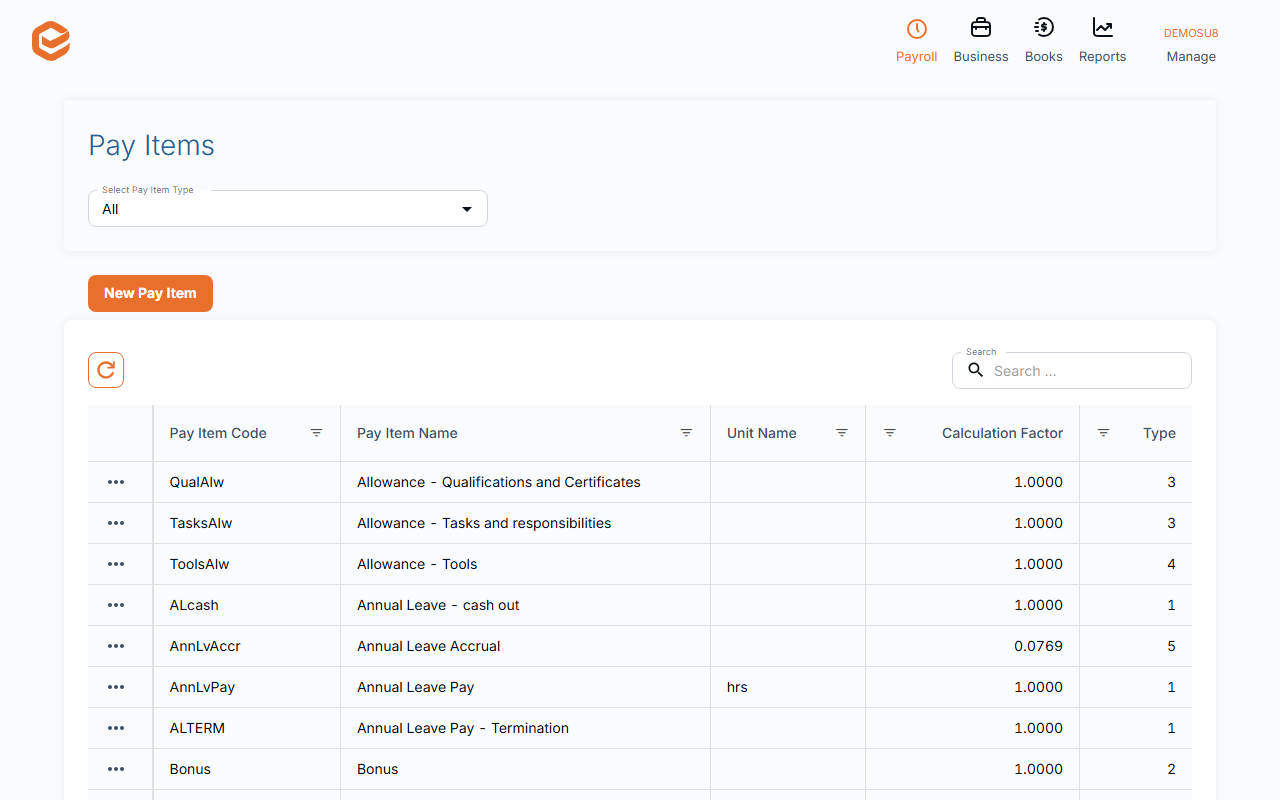
Configuration › Pay Details lists every pay item. New Pay Item:
- Type (required) - e.g. Ordinary Pay, Overtime/Extra Pay, Allowances, Pre-tax or Post-tax deductions, Super Salary Sacrifice, Superannuation Guarantee.
- Pay Item Name and Short Code (required) - as shown on payslips and in pay events.
- STP 2 Reporting Group (required) - how the ATO receives it (gross, an allowance type, overtime, a deduction type, salary sacrifice, super…). Check it for every item.
- Subject to - whether it attracts Tax Withholding, Superannuation and Leave Entitlements.
- Calculation (required) - Calculation Type, Calculate on, Calculation Factor (e.g. 1.5 for time and a half) and the unit.
- Payslip (required) - display order, details or sum only, and Show Year to Date on Payslip.
- Accounts - the expense account for direct-cost and other employees, and the liability account.
3. Pay groups
Configuration › Pay Groups sets each group's default pay item and accounts (COGS Account, Expense Account, Liability Account). The groups are fixed; edit them, but new ones cannot be added.
4. Leave types
Configuration › Pay Leave Types: New Leave Type with its Calculation type (Calculate Balance, Annual Allowance or Not calculated (manual)), the pay items for accruing, paying out and cashing out leave, and Loading, % (enter it as a fraction: 0.175 for 17.5%). Add automatically adds it to new employees.
Leave Balance Adjustments corrects a balance.
5. Occupations and super funds
Occupations (with Award and Award Level) are chosen on each employee. Superfunds lists the funds your employees use.
Overtime, penalty rates and public holidays
There are no automatic award rules: set up an overtime or penalty item with its Calculation Factor and add it in the pay event. The public holidays calendar is chosen in General Settings.
Related guides
Checked against Exacc on 9 October 2026. Machine-readable version