Open Payroll › + New Pay Event, choose the Group, Period and Payment Date and click Create Pay Event. Check each employee, fix any Warnings, click Approve and Pay, then download the ABA file, Send Payslips and lodge Single Touch Payroll (STP).
Before you start
- Employees with employment records, tax details, super and bank accounts (see Add an employee).
- Approved timesheets, for employees paid from timesheets.
1. Create the pay event
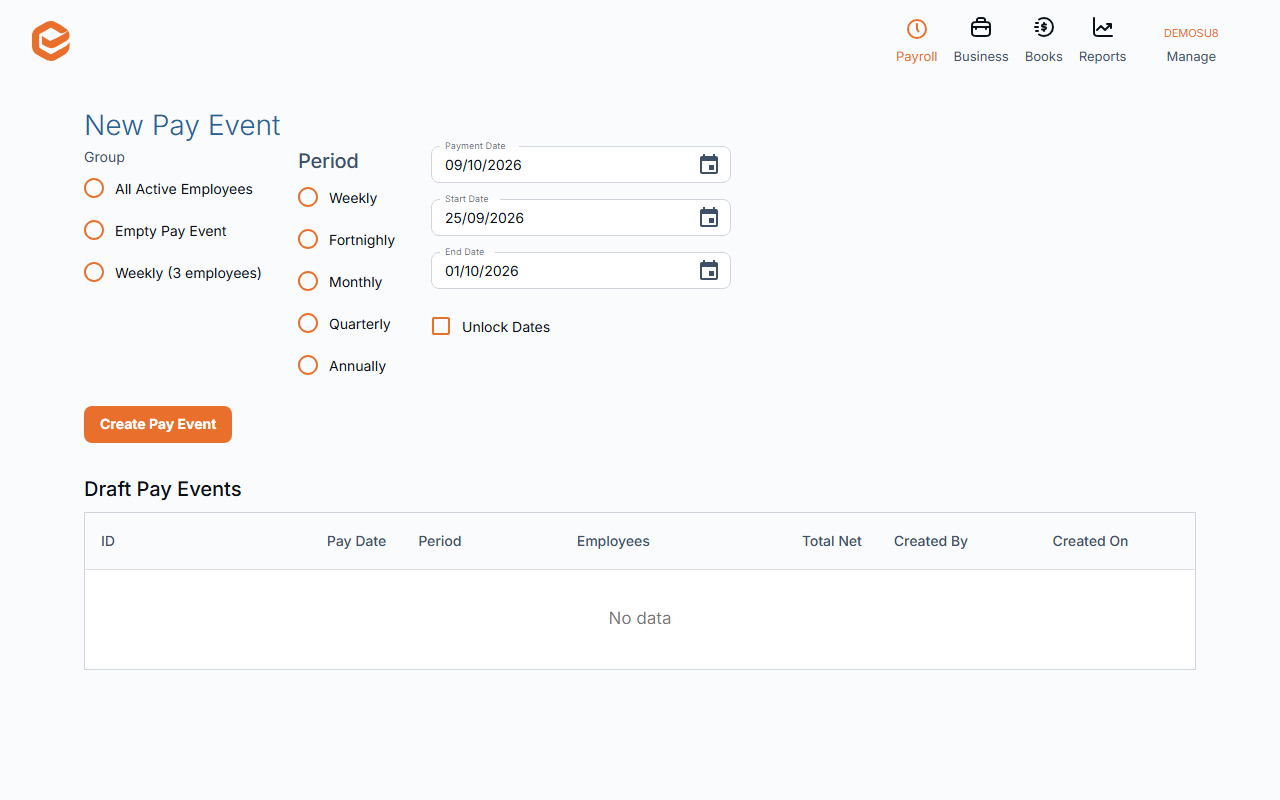
Open Payroll › + New Pay Event. Choose the Group (a pay cycle, or All) and Period, and check the Payment Date, Start Date and End Date. Click Create Pay Event.
Exacc adds every active employee in the group, takes hours from timesheets for employees paid that way, and works out tax, super and leave.
2. Check the draft
Payroll Event Summary - Draft shows a Trial Balance and the Details per employee. Click an employee to see Gross Payments, Super and Accruals, Taxes and Deductions and Other Items; + Add adds an item, Recalculate redoes tax and super, Payslip previews it.
See Warnings lists problems: errors must be fixed before approval. Add Employee, Change Dates, Timesheet and a Note for all Payslips are there too.
3. Approve
Click Approve and Pay. It is approved straight away if there are no errors; the pay event then shows in your accounts.
4. Pay, send payslips, lodge STP
On Payroll Event Summary - Finalised: Payment + ABA › ABA file downloads the bank file to pay everyone. Send Payslips emails each employee their payslip PDF. Single Touch Payroll (STP) lodges the pay event with the ATO (see Lodge STP). PayDay Super pays their super for this pay event.
Changing or deleting a pay event
Reopen Pay Event takes it back to a draft so you can change it; approve and lodge STP again afterwards. Delete is only possible before STP is lodged. Change Dates does not recalculate: if you move the pay date into another financial year, recalculate each employee.
Locked periods
A pay event dated on or before the Accounts Lock cannot be created, approved, reopened or deleted.
Related guides
- Lodge STP and amend a pay event
- Pay super (PayDay Super and SuperChoice)
- Add an employee
- Set up payroll
Checked against Exacc on 9 October 2026. Machine-readable version