A department is a part of your business; each has one or more sites, the places where work happens. Sites are used on invoices ("Allocated to Site"), timesheets, journals, assets and pay events, and to filter reports. Open Manage › Configuration › Departments, click New Department, then add its sites.
Before you start
- Permission to manage departments and sites (administrators have it).
1. Create a department
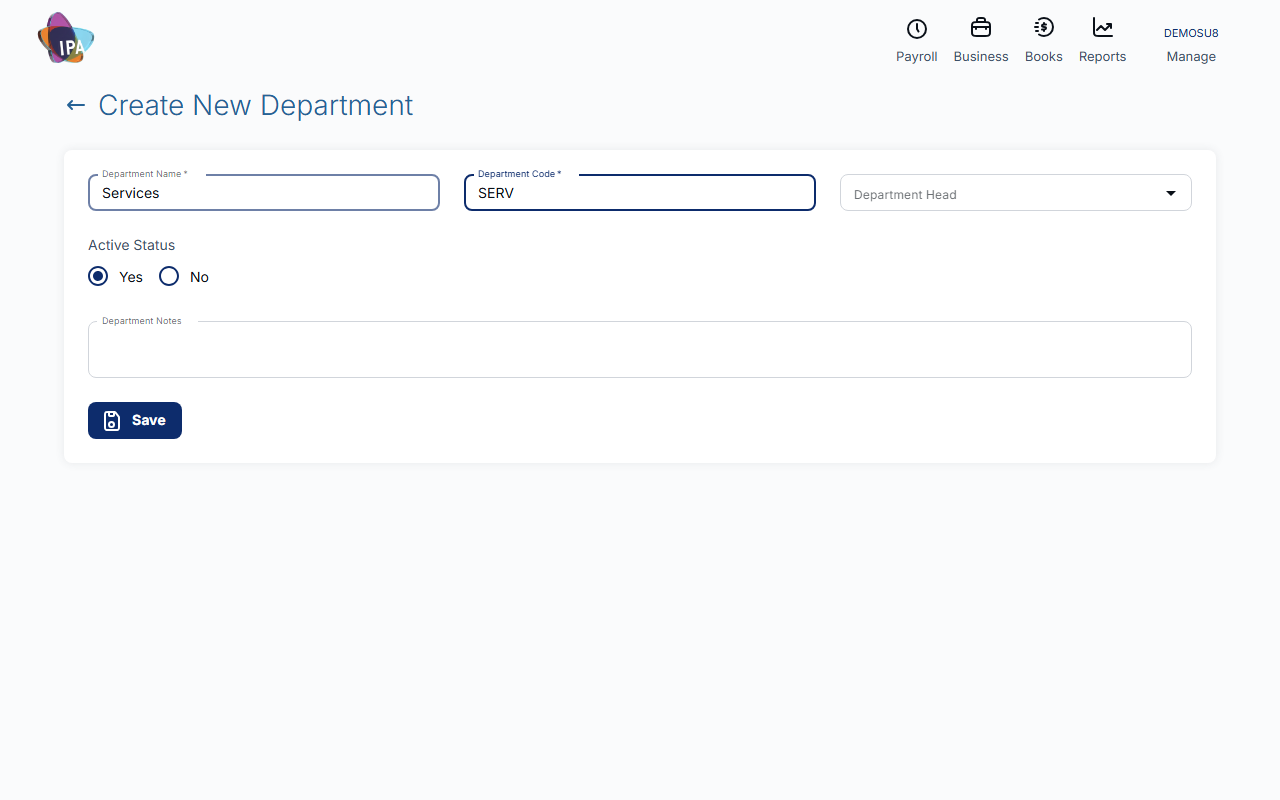
Open Departments and click New Department. Enter the Department Name and Department Code (both required), choose a Department Head if you like, leave Active Status on Yes and save.
Exacc confirms "Department created successfully." and opens Create New Site for it.
2. Add its sites
On Create New Site the department is already chosen.
- Site Name, Site Code (required) - both required.
- Manager - who looks after the site.
- Restricted Status - Yes to limit who can use the site.
- Active Status - Yes to use it now.
3. Add more sites later
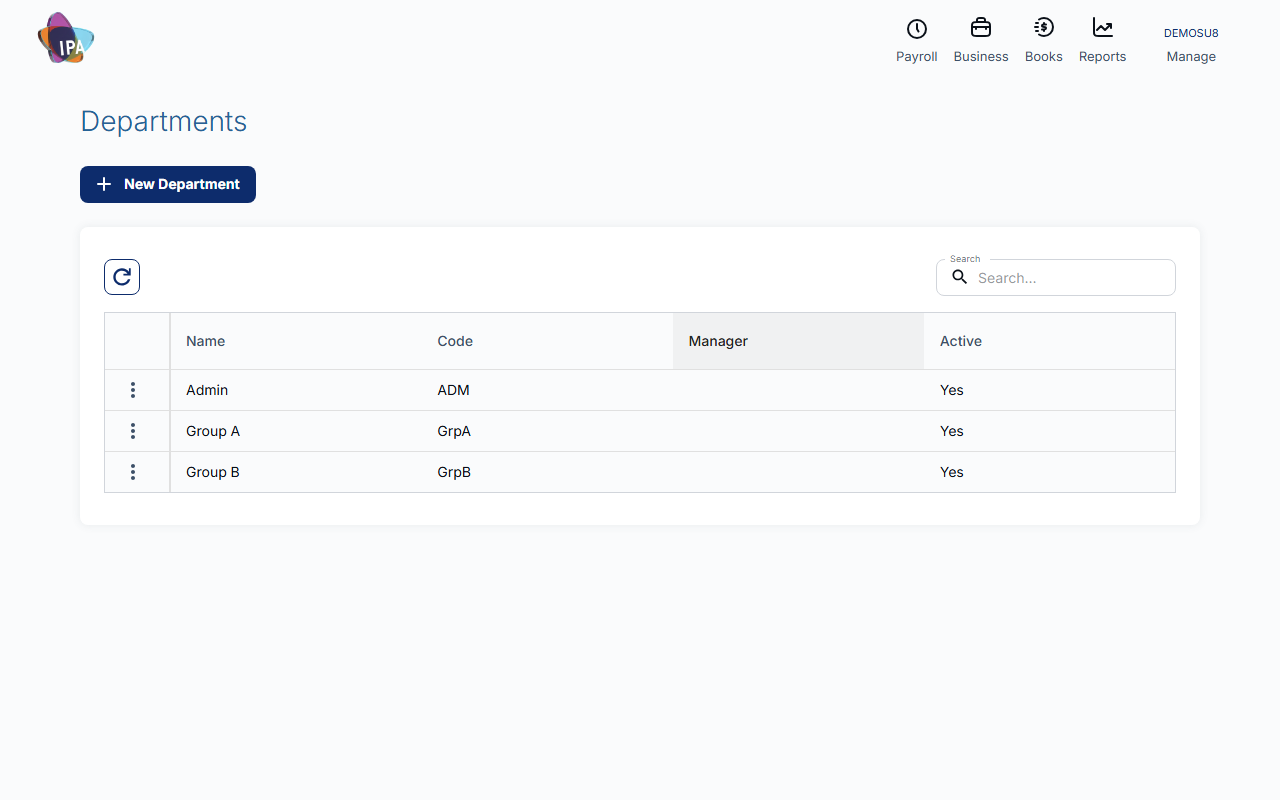
In Departments, open the ⋮ menu on a department and choose Add Site, or Sites to see and edit them. From the sites list, New Site adds another and See All Departments takes you back.
4. Choose a default site (optional)
Click a department to open Department Details. Pick its Default Site, add Department Notes if useful, and click Save.
Deleting
Use Delete from the ⋮ menu or the details page. A department in use, or a site with transactions, cannot be deleted; set it to inactive instead.
Related guides
Checked against Exacc on 29 September 2026. Machine-readable version