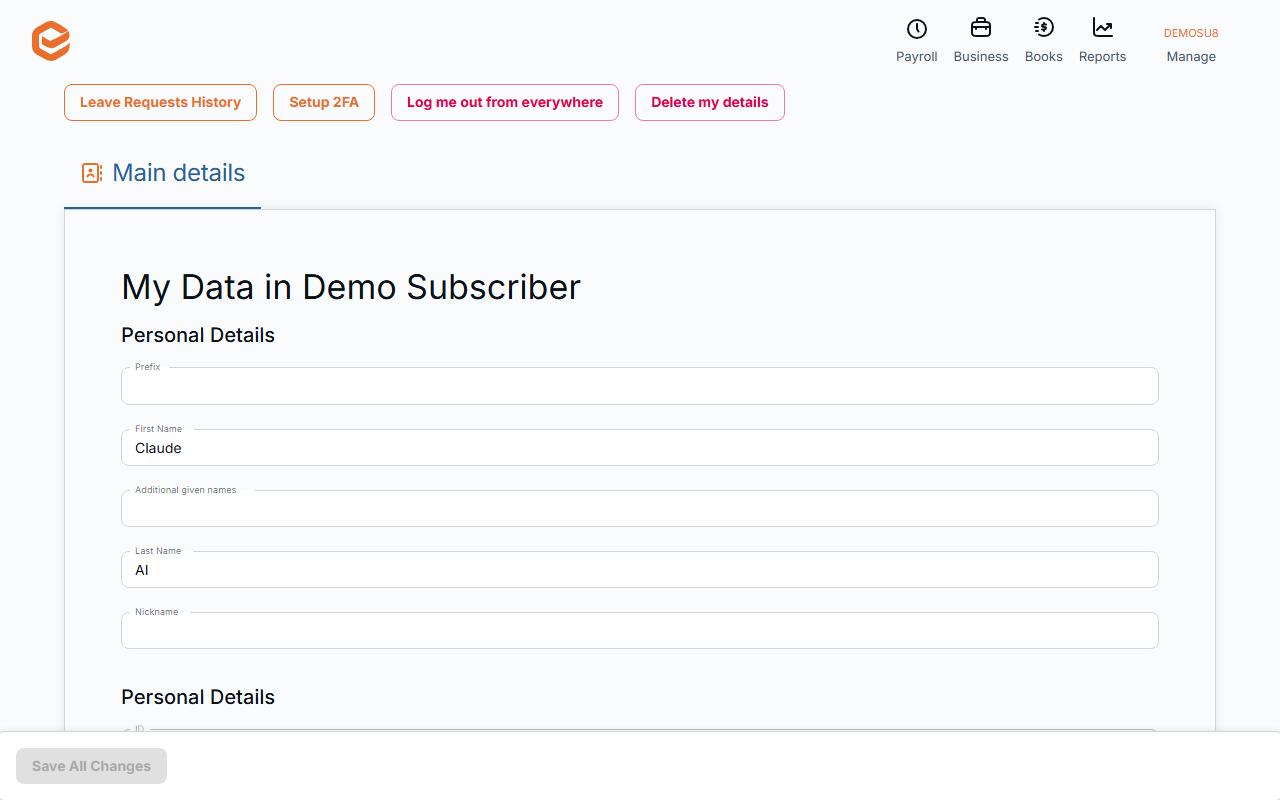
Once invited, employees log in at my.exacc.au and open Manage › My Details. On Employment they can complete a tax declaration, update their TFN, bank accounts and super fund. Pay History shows their pays and Leave Request asks for leave.
Before you start
- An invitation from the business (see Add an employee).
1. Log in
Accept the invitation email and log in at my.exacc.au, then open the business file and Manage › My Details.
2. Keep your details up to date
Main details: your name, phone, address and next of kin. Employment: Complete New Tax Declaration, your TFN (Show / Edit), Main Bank Account and an optional savings account with Savings Amount, your super fund (Select Fund) and Super Fund Membership Number (the fund is only saved with a member number). Click Save All Changes.
3. See your pay, request leave
Pay History lists your pays and payslips. Leave Request asks for leave, and Leave Requests History shows what you asked for and whether it was approved.
Security
Setup 2FA adds a second step to your login. Log me out from everywhere signs you out on every device.
Related guides
Checked against Exacc on 9 October 2026. Machine-readable version