Open Reports › General Ledger, choose the dates, Accounts, sites or contacts and the Record Status, tick the columns to show, and click Show General Ledger. Download it to Excel or PDF. Journals per Account shows the same in journal format.
1. Set the filter
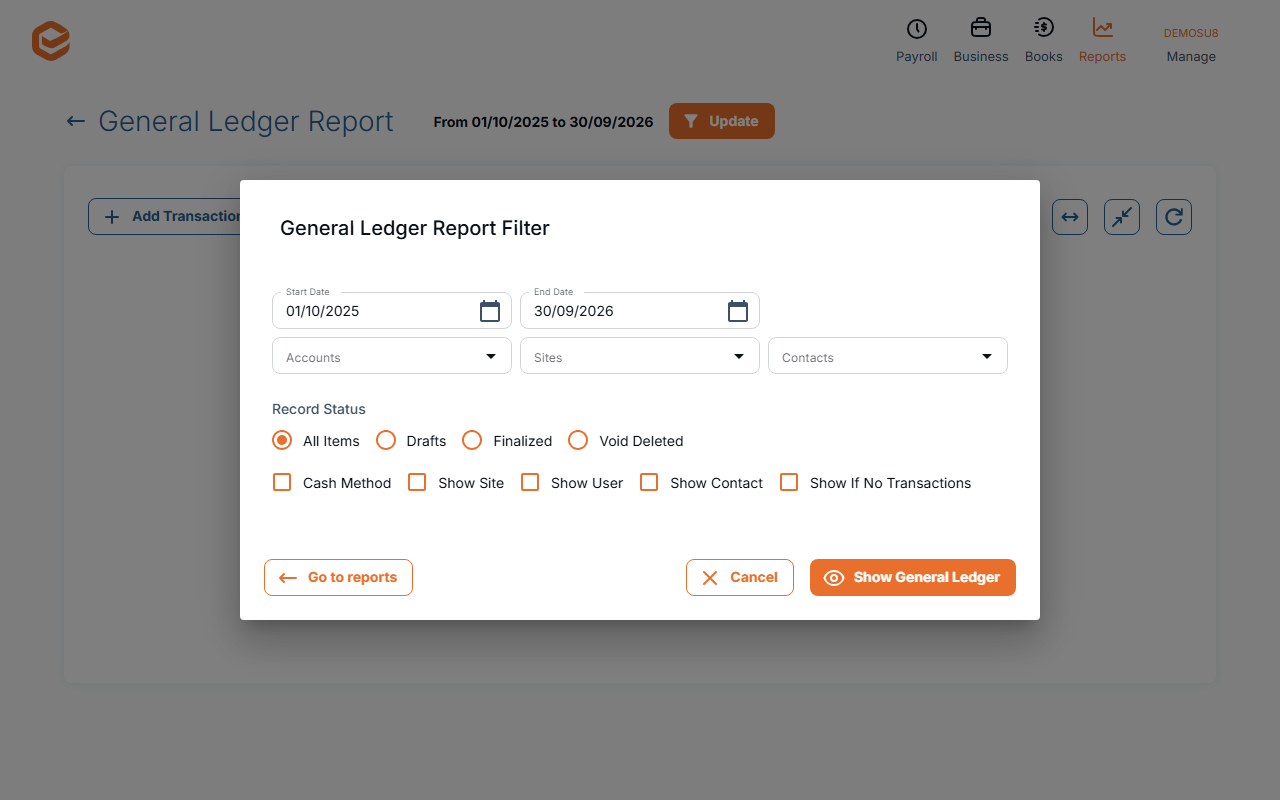
Open Reports › General Ledger. In General Ledger Report Filter choose:
- Dates and Accounts (required) - the period and the accounts to list.
- Sites and Contacts - optional limits.
- Record Status - All Items, Drafts, Finalized or Void Deleted.
- Cash Method - report on the cash basis.
- Show Site, Show User, Show Contact - extra columns.
- Show If No Transactions - list accounts with nothing in the period too.
2. Show and export
Click Show General Ledger. Download Excel Report saves an .xlsx file; Download PDF Report a PDF (tick Show Print Details for more detail).
Journals per Account
Reports › Journals per Account lists transactions in journal format for a period (or a Predefined Period) and chosen Accounts, with an Excel download.
Related guides
- Trial Balance report
- Profit & Loss report
- Filter a report
- Change many transactions at once (Find & Update)
Checked against Exacc on 9 October 2026. Machine-readable version