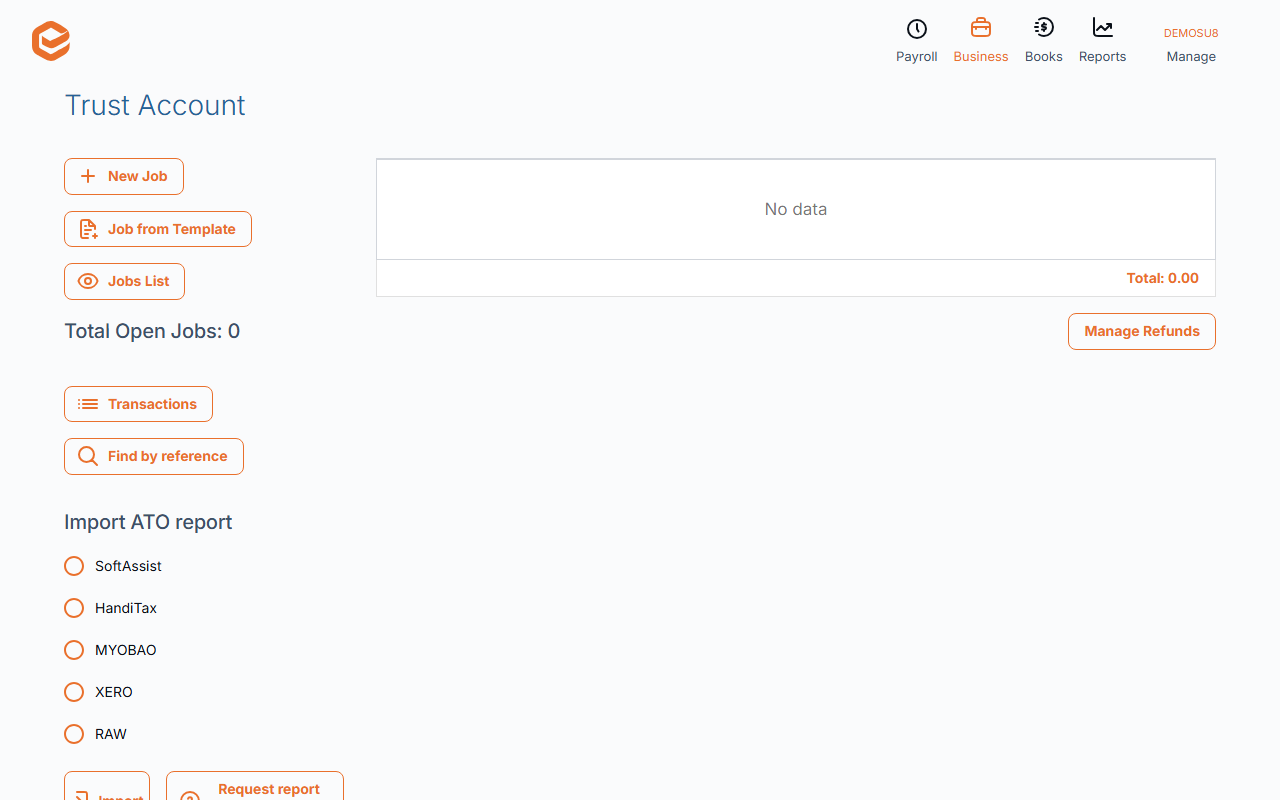
Open Business › Trust Account. Request report from ATO fetches the ATO's EFT refund report (ready in about 15 minutes), or Import ATO report reads a file from SoftAssist, HandiTax, MYOB AO, Xero or a CSV. Each refund is matched to the client by TFN and added to their open job.
Before you start
- The trust account set up (see Set up your trust account), and each client's TFN on their contact.
1. Request the report from the ATO
Open Business › Trust Account and click Request report from ATO. Exacc imports any report already waiting, or asks the ATO for one ("it should be ready in 15 minutes"). Requests between 4am and 10am Sydney time are sent at 10am.
With the trust account's bank feed connected, Exacc also checks automatically every 15 minutes during the day when a deposit arrives.
2. Or import a file
Under Import ATO report choose the format (SoftAssist, HandiTax, MYOBAO, XERO for a .txt file, or RAW for a CSV), pick the file and click Import.
3. Check the import report
Each refund is matched to the client by TFN and added to their newest open job (a new job is created if they have none). Refunds already imported are skipped. The bank details in the file must be your trust account's.
Import Report lists anything that failed ("X records failed to import"): fix the client's TFN and import again; duplicates are not imported twice.
A refund on the wrong client
Imported refunds cannot be edited or voided. Move the money with Transfer to another Job on the job (see Trust account jobs).
Related guides
Checked against Exacc on 10 October 2026. Machine-readable version