A subscriber account is you or your firm in Exacc. It holds your team, the business files you manage, and the card Exacc charges. Subscriber accounts are free; Exacc charges per business file. Manage it at my.exacc.au under Subscribers, with four tabs: Details, Members, Business Files and Link Subscriber to ATO.
Before you start
- A subscriber account. You get one with your first business file (see Set up a business file).
1. Open the subscriber account
Sign in at my.exacc.au, open the tile at the top right and choose your subscriber account under Subscribers. If you have more than one, switch with Select Subscriber Account.
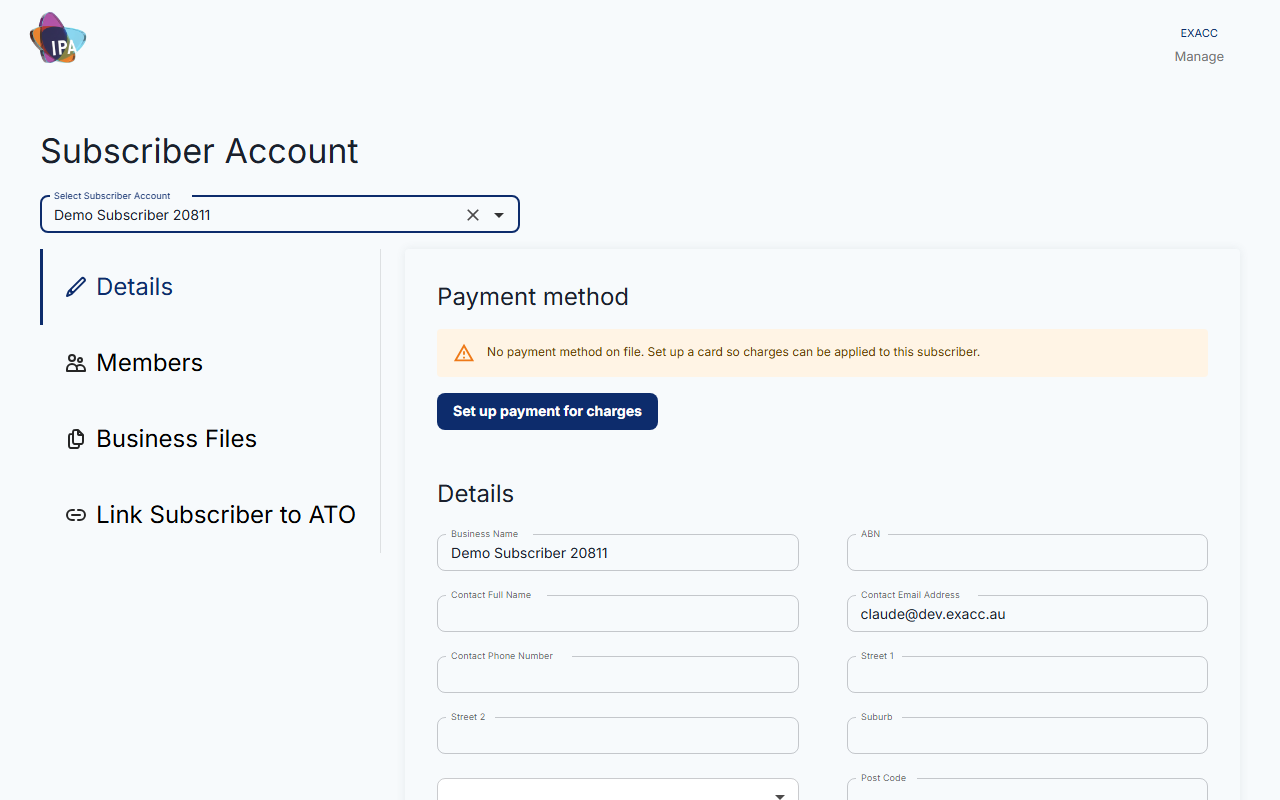
2. Check Details and payment
On Details, keep the business name, ABN, contact name, email, phone and address up to date, plus Tax Agent Details (RAN, name, email, phone) if you are an agent. Click Save.
Under Payment method, click Set up payment for charges to add a card through Stripe, or Update payment method to change it. Exacc confirms "Payment setup completed successfully".
3. Add team members
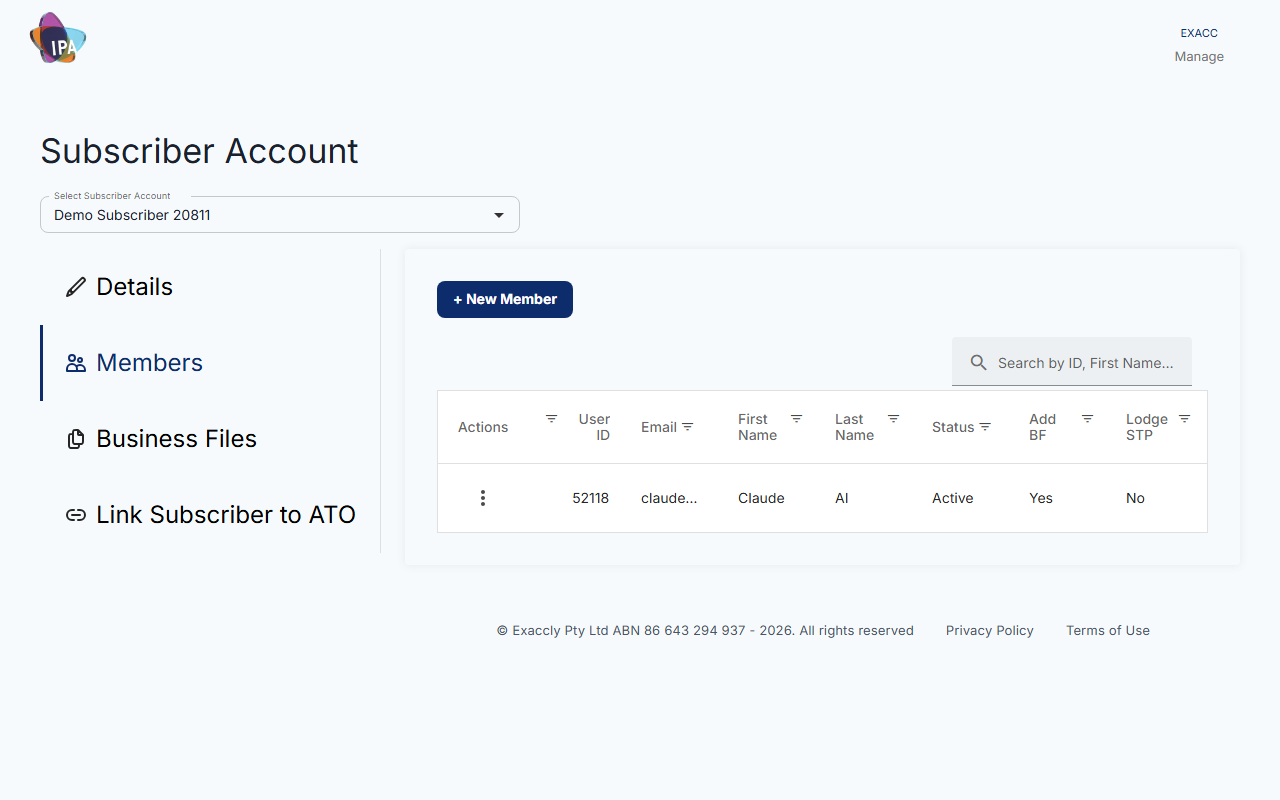
On Members, click + New Member. Enter First Name, Last Name and Login Email, tick what they may do, accept the terms and click Invite.
They see Subscriber Account Invitation on their dashboard and click Accept.
- Allow to add new Business Files - they can create files under this subscriber account.
- Allow to manage other members - they can manage the team. Only the owner or an admin can give this.
- Allow lodging STP as Tax Agent - they can lodge STP for client files under your agent link.
4. Control members' access
From a member's row: Deactivate / Activate, turn adding business files or lodging STP on or off, Re-send invitation, or Remove all access. Remove all access takes them out of every subscriber account and business file where you are admin or owner, except files they own.
5. Your business files
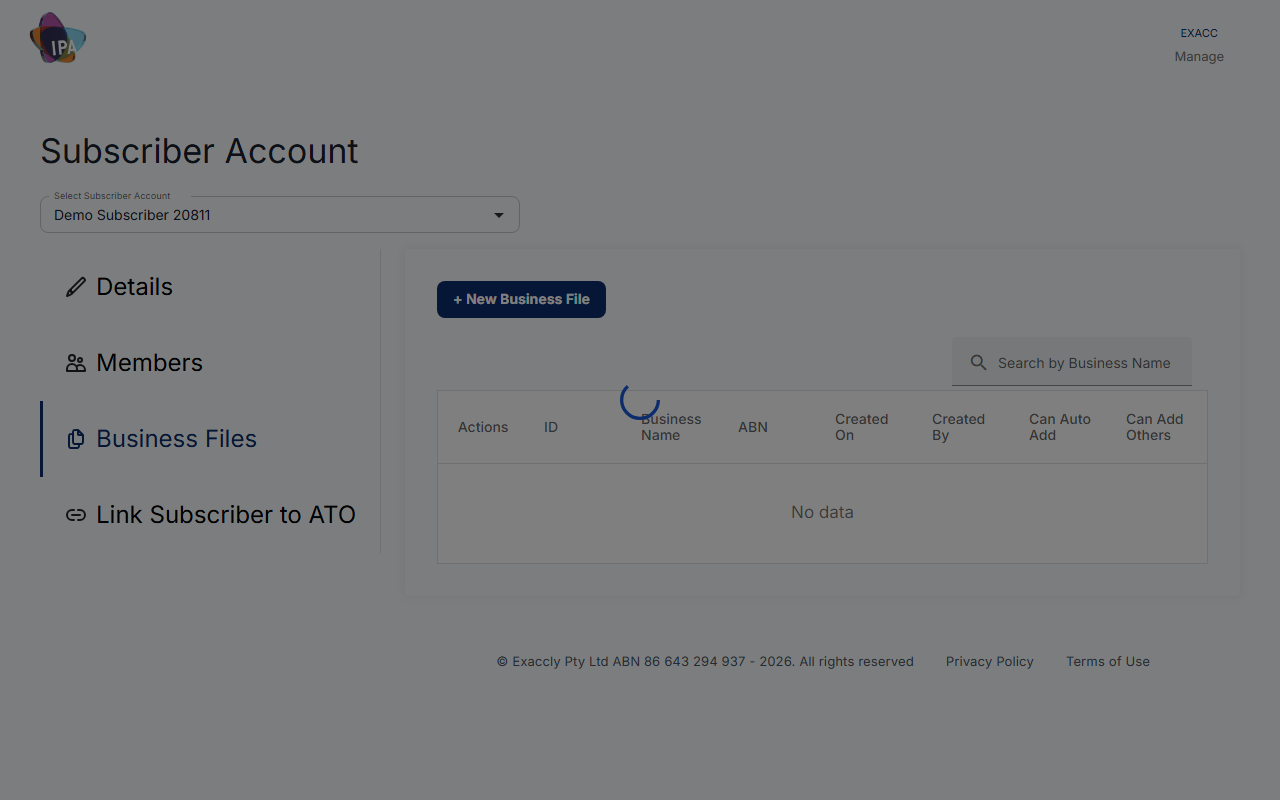
Business Files lists every file under the account, with its ABN and paid-up date. + New Business File adds one. From a row: Go to file, or Request Access if you are not in it yet.
Enable Auto Add lets team members get into that file with admin access just by clicking Request Access. Without it, their request goes to you to approve. Enable Add Others lets people outside the team be invited to that file.
Delete Business File deletes the file straight away, with no confirmation, so be sure first. Only the file's owner or creator can do it.
6. Link your subscriber account to the ATO (agents)
On Link Subscriber to ATO, follow the steps shown to notify the ATO that Exacc is your hosted software service. You will need Exacc's ABN (86 643 294 937) and your SSID; click Get SSID if none is shown. This lets you and authorised members lodge STP and other reports for client business files.
Choose I Am A Tax Agent or I Am BAS Agent and click Yes I Did once done. The tab then shows who linked it and when. Need a hand? No, I need help opens the step-by-step guide.
Questions
Is a subscriber account the same as a business file?
No. The subscriber account is you or your firm; each business file is one set of books. One subscriber account can hold many business files, and you can belong to several subscriber accounts.
What does a subscriber account cost?
Nothing. Exacc charges per business file, to the card on the subscriber account.
Related guides
Checked against Exacc on 29 September 2026. Machine-readable version